Kitchen design with AI
Upload a kitchen photo, pick a style, and see how the same kitchen looks with a different finish. The units, appliances, windows and doors keep their place; what changes is the fronts, the worktop, the splashback, the floor and the light. That is exactly where showroom decisions go wrong: a dark green kitchen looks wonderful under showroom lighting and can turn gloomy next to your one small window. Here you compare styles against your own room.
Loading the impression tool…
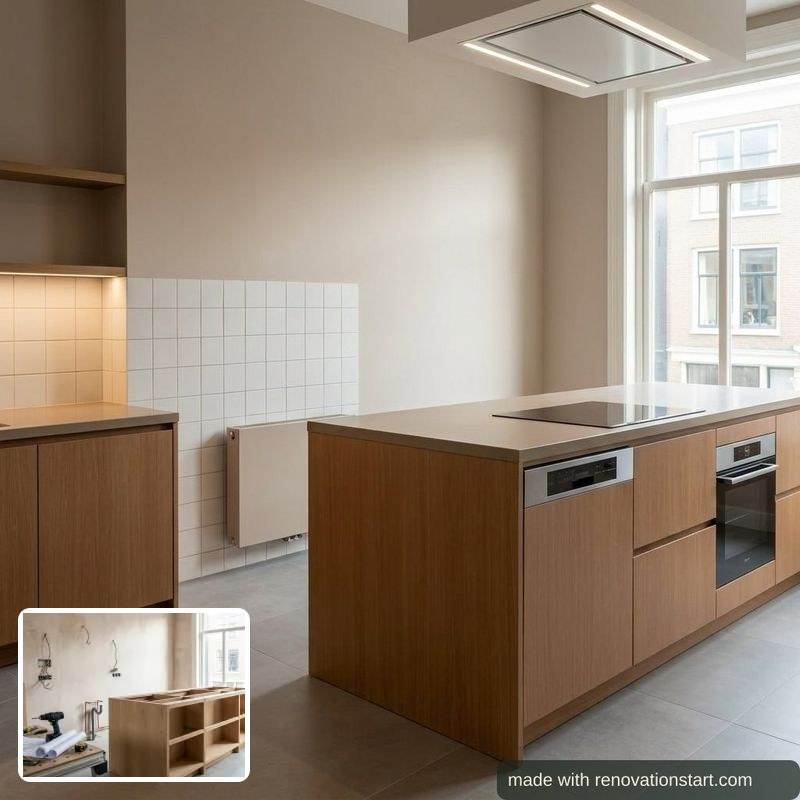
Honest about what this is: a mood impression that shows a direction, not an architectural drawing and not a quote. If you want measurements, use the kitchen planner; its layout travels along into the impression.
What to do next
- Draw your kitchen to scale: work triangle, walkways and island plumbing, priced honestly.
- See what a kitchen costs: honest UK ranges per finish level.
- What an island really costs in plumbing: the post most island dreams forget.
Also for the bathroom, the bedroom and the loft.
How the kitchen design AI works
An AI impression of your own room after the renovation: upload a photo, pick a style, and the chain keeps the room intact (windows, doors and fixtures stay in place) while rendering the new finish.
- Upload a photo of your room; it is stripped of location data, processed once and never used for training.
- Pick a style.
- Get the impression with watermark within about half a minute.
- Optionally place a product photo from a shop into the result to see it in your own room.
- What you enter:
- A photo of your room and a style choice; optionally a product photo.
- What you get:
- A watermarked AI impression of your renovated room; a monthly number of impressions is free, no account needed.
Frequently asked questions
Can AI show what my kitchen would look like renovated?
Yes, for the finish: fronts, worktop, splashback, floor and lighting, rendered onto your own photo so your real window and daylight decide the result. The layout of units and appliances is kept as it is, because rearranging a kitchen means moving water, drainage and electrics, which is a cost decision rather than a style one.
Will a dark kitchen make my room too dark?
That is precisely the question this tool is good at. Generate the same photo in two styles and put them side by side; that is a fairer comparison than any brochure photo, because both versions use your actual light. If the dark version swallows the room, you see it before you order the fronts.
Can I try a kitchen island?
Not here: adding an island changes the layout and the plumbing, not just the finish. Draw it in the kitchen planner instead; it checks the work triangle and walkway widths and prices the island plumbing honestly, and that layout travels into the impression as placement hints.
Can I try the fronts or worktop I saw in a showroom?
Yes. Under a generated impression you can upload a product photo, cabinet fronts, a worktop, tiles or a tap, and have that one element replaced in your kitchen. A showroom photo or a sample photo works best; colour and texture come through well, a brand name will not.
Is this a kitchen design I can order from?
No. It is a mood impression, not a technical drawing with measurements, and no retailer can build from it. Use it to pick a direction; the planner and the cost pages take over from there.
Can I not just do this myself with ChatGPT or Gemini?
You can, and sometimes that is fine. The difference sits in four things. One: this chain forces your room to stay intact; windows, doors and fixtures keep their place, where a bare AI model tends to redesign the space (in our own measurement the toilet consistently disappeared). Two: the image is tied to your numbers; the impression renders in the finish level of your calculation and takes your drawn layout along, so what you see belongs to what it costs.
Three: your own tub, tile or cabinet front lands in the image reliably while the rest of the room stays put; try that in a chatbot and the room changes with it. Four: your photo is stripped of location data, processed once and never used for training; with a consumer chatbot that depends on your settings. If you just want a quick mood image that belongs to nothing, a chatbot is a fine tool.
What does it cost?
One impression credit per image, and 4 a month are free, without an account or an email address. Every image costs real money with the AI provider, which is why they are not unlimited. Need more? 10 images cost £4.95, or take the Renovation Pack (£19.95, one-off): 25 images and 5 AI quote checks for your whole project, no expiry, on your free account. Everything that is knowledge stays free.
What happens to my photo?
It is sent encrypted to the image model, processed once in memory and discarded straight after. Neither the photo nor the result is stored on a server. Location data that phone photos can contain is stripped before the photo leaves the server. Please do not upload photos with people in them; those are refused.
Do I need an account?
No. Everything on this site works without an account and without an email address, and this page is no exception.